
The Ultimate WordPress Guide for Business Owners
Everything You Need to Know in 2026
If you’ve spent even five minutes researching how to build a website for your business, chances are you’ve come across one name more than any other: WordPress. It’s everywhere — mentioned by developers, marketers, bloggers, and business owners alike. And yet, despite how often it comes up, there’s a surprising amount of confusion about what WordPress actually is, what it can do, and whether it’s the right choice for your business.
This guide is going to change that. We’re going to answer every important question about WordPress — in plain English, without unnecessary jargon — so that by the time you finish reading, you’ll know exactly what WordPress is, whether it’s right for you, and what steps to take next.
What Is WordPress?
WordPress: is the world’s most popular website-building platform. At its core, it’s a software that allows people — including those with zero coding experience — to create, manage, and publish content on the internet. From simple personal blogs to complex e-commerce stores generating millions in revenue, WordPress powers them all.
Here’s the best way to understand WordPress: think of it as the operating system for your website. Just like Windows or macOS runs your computer, WordPress runs your website — giving you a control panel to manage everything without needing to write a single line of code.
WordPress:first launched in 2003 as a simple blogging tool. Over the past two decades, it has evolved into a full-featured Content Management System — or CMS — that can power virtually any type of website imaginable. Today, it is the backbone of over 43% of all websites on the internet. That’s not a small niche. That’s nearly half the web.
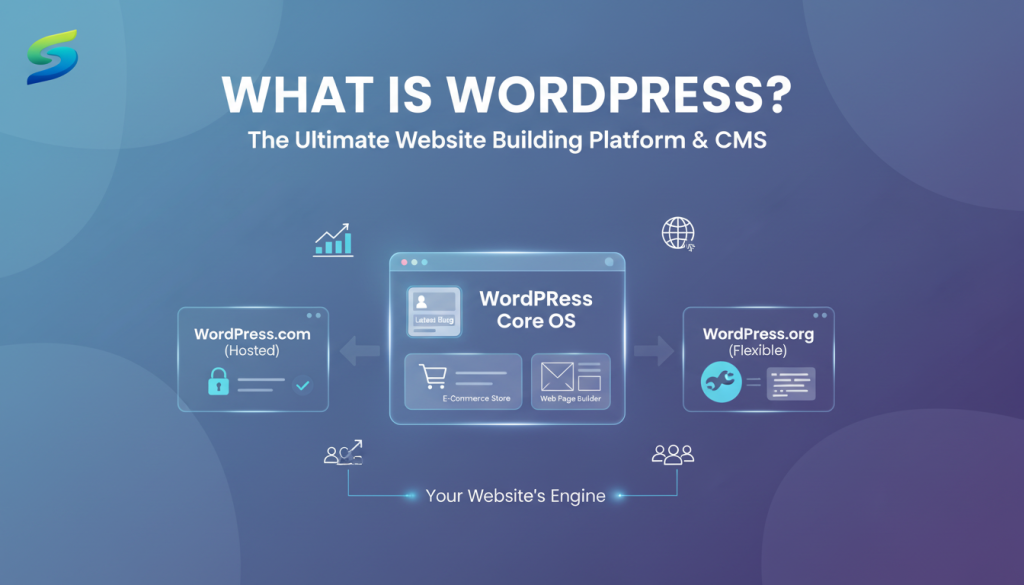
There are actually two versions worth knowing about: WordPress.com, which is a hosted service (they handle everything), and WordPress.org, which is the self-hosted, open-source version that gives you full control and ownership of your website. For any serious business, WordPress.org is almost always the better choice — and it’s the one we work with at SERPlyx.
Is WordPress a CMS?
Yes — WordPress is a CMS, or Content Management System. But what does that actually mean?
Content Management Systems
A Content Management System is software that allows you to create, edit, organize, and publish digital content without needing to manually code everything. Before CMS platforms existed, every update to a website required a developer to physically edit HTML files. Changing a product price, uploading a new photo, or publishing a blog post meant hiring someone technical for even the simplest tasks.
WordPress changed all of that. With WordPress, you log into your dashboard — much like logging into your email — and you can update your website content directly. Add a new product, write a blog post, change your homepage banner, or update your contact information — all within minutes, with no technical knowledge required.
WordPress vs Other CMS Platforms
Other CMS platforms include Joomla, Drupal, Shopify, and Wix — but none of them comes close to WordPress in terms of flexibility, community support, available features, and market dominance. WordPress isn’t just the most popular CMS — it holds more market share than all other CMS platforms combined.
For business owners, this matters because WordPress’s CMS capabilities mean you don’t have to rely entirely on a developer for every small update. Once your site is built and configured professionally, you have the power to manage day-to-day content yourself.
Who Owns WordPress?
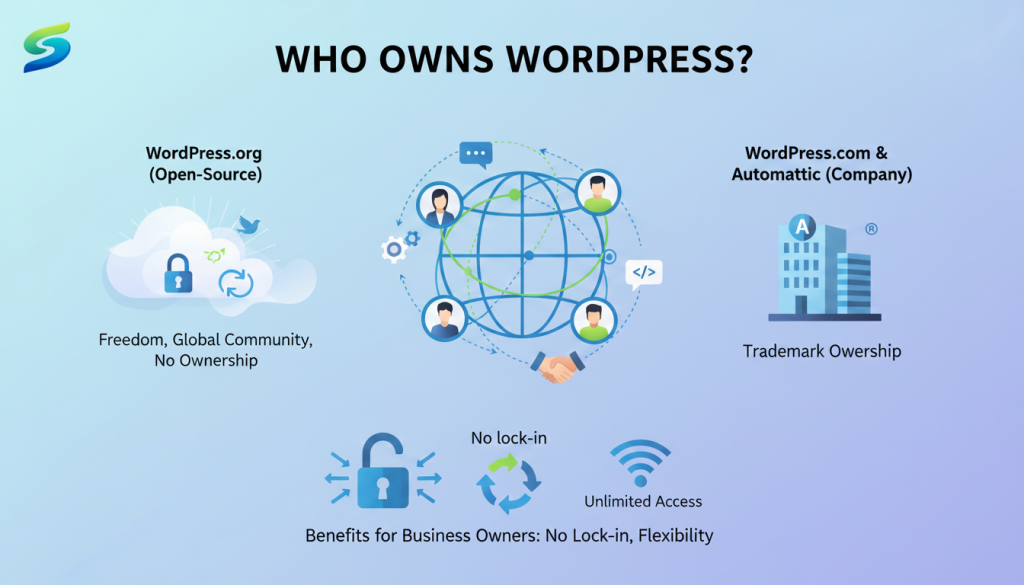
- WordPress (WordPress.org): is an open-source platform, meaning its code is free to use, modify, and share. It is developed by a global community of contributors rather than a single company. However, the WordPress trademark and WordPress.com service are owned by Automattic, the company founded by Matt Mullenweg.
- For business owners: this is important because WordPress has no licensing fees or vendor lock-in. You are free to use it without depending on one company, making it a flexible and reliable platform.
How Many Websites Use WordPress?
The numbers are staggering — and they tell a very compelling story about why WordPress has become the undisputed king of website platforms.
WordPress powers over 43% of all websites on the internet.
WordPress commands over 62% of the market share.
Including The New York Times, Sony Music, BBC America, and TechCrunch all use WordPress.
Thousands of new websites are launched on WordPress worldwide.
Why does this matter to you? Because when a platform is used this widely, it means there is an enormous ecosystem of developers, designers, plugins, themes, tutorials, and support communities built around it. If you ever have a problem, there is always a solution. If you ever need a specific feature, there is almost certainly a plugin for it. The scale of WordPress’s community is itself one of its most powerful advantages.
Is WordPress Free?
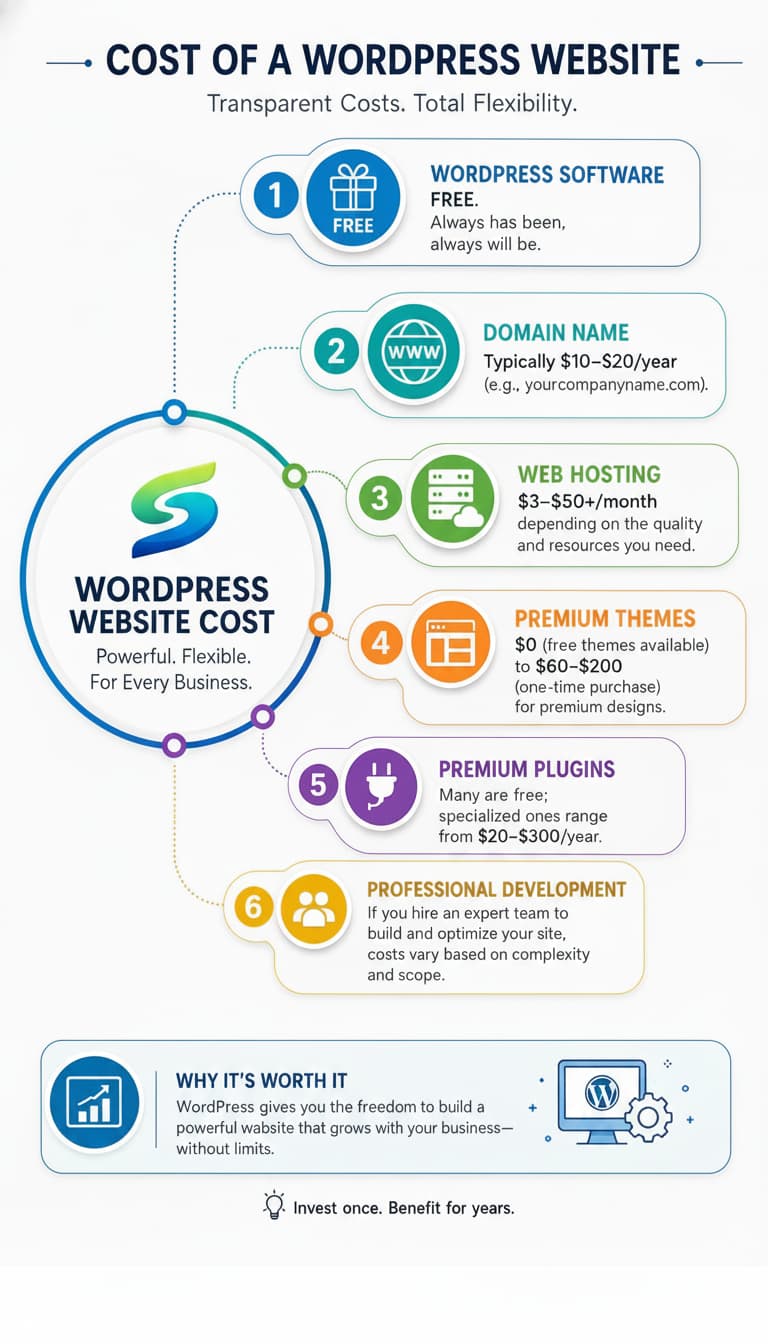
The short answer is: yes, the WordPress software itself is completely free. But like most things in business, there are costs involved in running a professional WordPress website — and understanding these will help you budget properly.
- WordPress Software:
FREE. Always has been, always will be. - Domain Name:
Typically $10–$20/year (e.g., yourcompanyname.com). - Web Hosting:
$3–$50+/month depending on the quality and resources you need. - Premium Themes:
$0 (free themes available) to $60–$200 (one-time purchase) for premium designs. - Premium Plugins:
Many are free; specialized ones range from $20–$300/year. - Professional Development:
If you hire an expert team to build and optimize your site, costs vary based on complexity and scope.
The bottom line: you can get a basic WordPress site up and running for under $100/year in platform costs alone. But if you want a website that’s fast, secure, beautifully designed, and optimized for search engines — investing in professional help will pay for itself many times over through the business it generates.
What Is WordPress Hosting?
Imagine your website is a shop. The domain name is your shop’s address. WordPress is the interior design and management system. And hosting is the actual physical building — the land and structure your shop sits on. Without hosting, your website has nowhere to live on the internet. WordPress hosting specifically refers to web hosting services that are optimized for WordPress. These servers are configured to run WordPress faster, more securely, and more reliably than generic hosting.

Multiple websites share the same server resources. Cheapest option but slowest performance. Fine for brand new, low-traffic sites.

The hosting company handles all technical aspects of running WordPress: updates, backups, security, and performance. Ideal for businesses who want zero technical headaches.

Your website gets dedicated resources on a shared server. Better performance, more control, mid-range pricing.

An entire server dedicated exclusively to your website. Maximum performance and security for high-traffic, enterprise-level websites.
Choosing the right hosting is one of the most critical decisions for your website’s performance. A poor hosting choice can make even the most beautifully designed website painfully slow — and a slow website loses customers and Google rankings. At SERPlyx, we help our clients choose and configure the right hosting environment for their specific needs.
What Is WordPress Used For?
This is where most people are genuinely surprised. WordPress started as a blogging platform — but today, it is used for virtually every type of website you can imagine. Here’s what businesses and individuals actually build with WordPress:
Professional service pages, about sections, contact forms, and portfolio showcases for companies of every size.
Using WooCommerce (a WordPress plugin), you can build fully functional online stores complete with product catalogs
WordPress’s original purpose, and it still excels at it. Major news organizations run on WordPress.
Gated content, paid memberships, online communities, and subscription-based services.
Photographers, architects, designers, and other creatives showcase their work beautifully on WordPress.
High-converting campaign pages designed to capture leads and drive sales.
Is WordPress Web Design or Web Development?
This is an interesting question — and the truthful answer is: WordPress is both, and the line between the two has become beautifully blurred because of it.
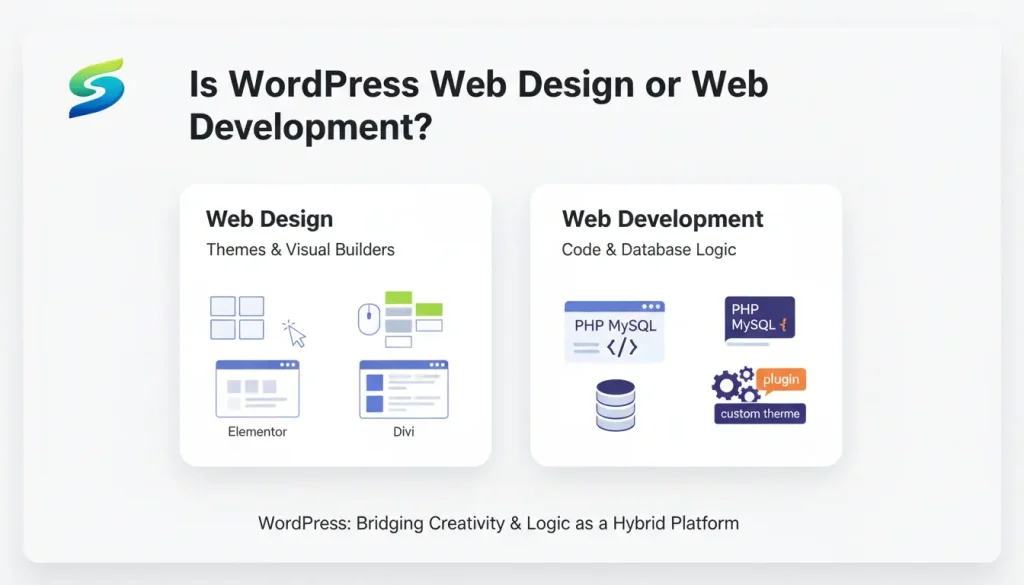
Traditionally, web design (the visual appearance) and web development (the technical functionality) were separate disciplines requiring different skill sets. WordPress has bridged that gap significantly.
- On the design side: WordPress offers thousands of themes — pre-built visual templates that define how your website looks. Tools like Elementor and Divi allow designers to drag and drop beautiful layouts without writing any code, making sophisticated web design accessible even without traditional development skills.
- On the development side: WordPress is built on PHP and MySQL, giving professional developers complete control to build custom themes, plugins, and functionality from scratch. Expert WordPress developers can create virtually anything — custom booking systems, complex membership platforms, multi-vendor marketplaces, and more.
Is WordPress Multisite — One Theme or Multiple?
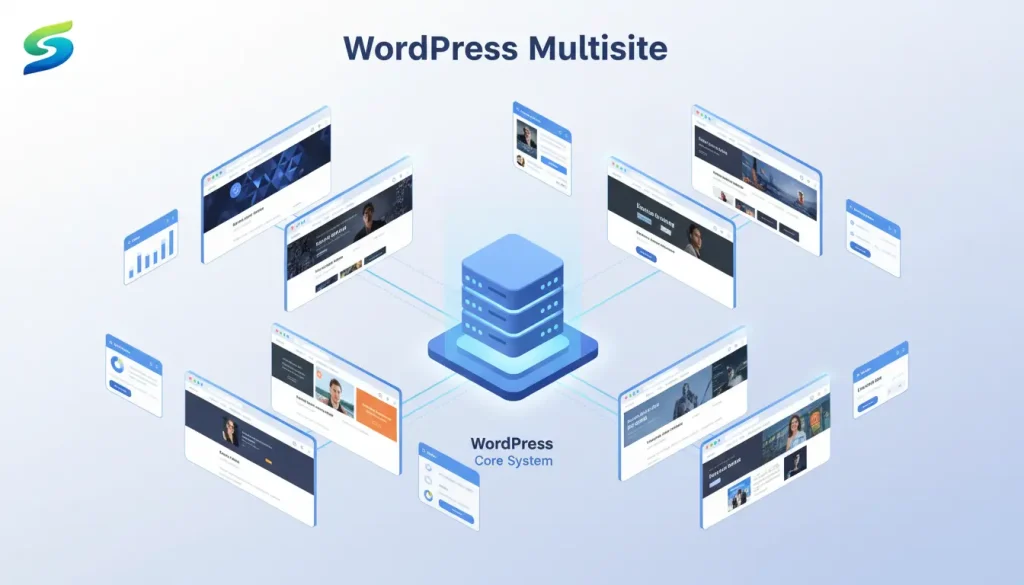
WordPress Multisite is a powerful — and often underutilized — feature that allows you to run multiple websites from a single WordPress installation. Think of it as a network of websites, all managed from one central dashboard.
To answer the question directly: with WordPress Multisite, you can use either one theme across all sites or different themes for each individual site. Each site in the network can be customized independently — with its own design, content, users, and settings — while still sharing the same WordPress core installation.
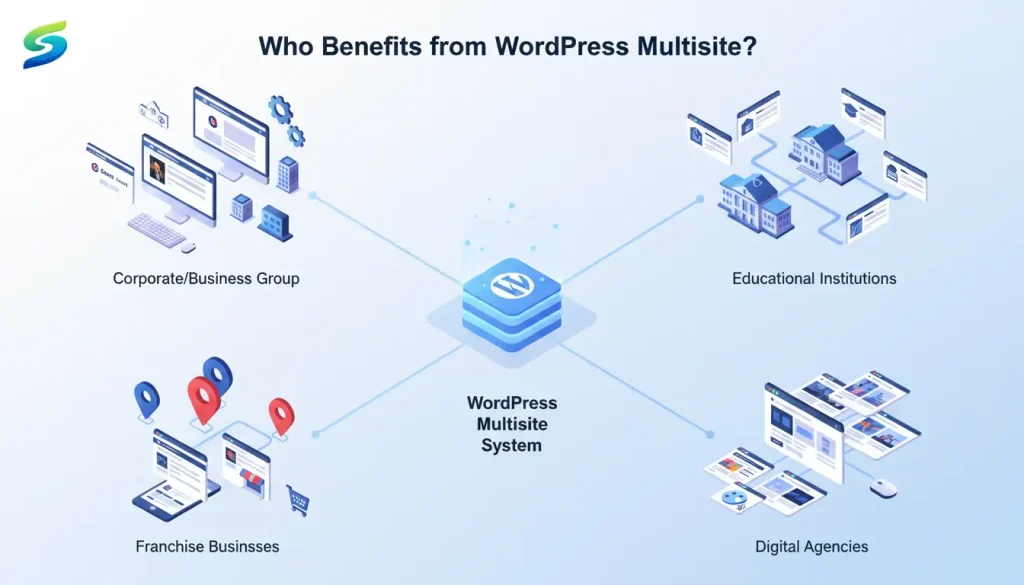
- Businesses with multiple brands or regional divisions that each need their own website
- Educational institutions managing websites for different departments or campuses.
- Franchise businesses that want a consistent platform but location-specific websites
- Digital agencies managing websites for multiple clients from a centralized platform
How to Build a WordPress Website?
Building a WordPress website that actually works for your business is a process — not just a technical task. Here’s the roadmap that professional teams follow:
Decide what your website should achieve (leads, sales, branding, portfolio).
Pick a professional domain and fast, secure hosting.
Install WordPress and configure basic settings like URLs, time zone, and security.
Choose or customize a theme and create a user-friendly design.
Add content, install essential plugins, optimize performance, and test before launch.
How to Develop a WordPress Site?
This level of development is what separates a website that merely exists online from one that actively generates business. It requires deep technical knowledge, experience, and ongoing commitment — which is why serious businesses partner with specialists.
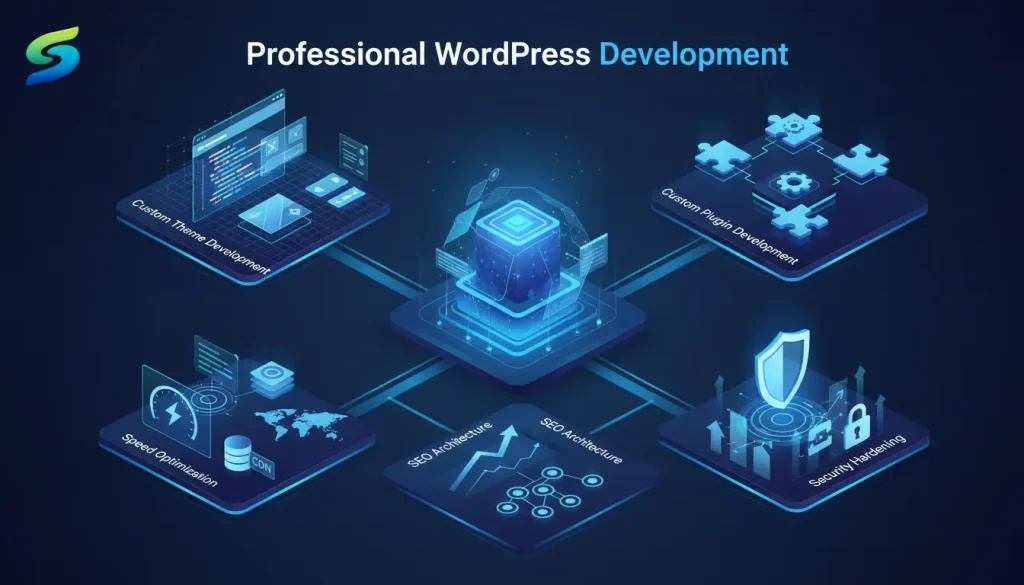
Development goes deeper than building. When we talk about developing a WordPress site professionally, we’re talking about custom code, performance engineering, and technical architecture — not just picking a theme and filling in content. Professional WordPress development involves:
- Custom Theme Development: Building a unique theme from scratch using PHP, HTML, CSS, and JavaScript — so your website looks and functions exactly the way your brand requires.
- Custom Plugin Development: Creating bespoke functionality that doesn’t exist in the plugin marketplace — tailored specifically to your business processes.
- Speed Optimization: Database optimization, image compression, caching configuration, CDN integration, and code minification — all aimed at making your site load in under 2 seconds.
- Security Hardening: Implementing firewalls, malware scanning, SSL certificates, brute-force protection, and regular backups to keep your site and your customers safe.
- SEO Architecture: Structuring your website’s code, URLs, schema markup, and internal linking so Google can find, understand, and rank your content effectively.
How Do I Create a Website with WordPress?
This brings us back to the most practical question of all — and it’s one with two very different answers depending on your situation.
Option A: Do It by Yourself
If you have time, patience, and a basic site with modest requirements, you can build a WordPress website yourself using a premium theme and page builder like Elementor. There are excellent free tutorials on YouTube, and WordPress’s own documentation is thorough. Be prepared to invest significant time — and accept that the result will reflect your current level of expertise.
Option B: Hire a Professional Team
If you want a website that’s fast, beautiful, secure, and built to rank on Google — and if your time is better spent running your business — then working with a professional WordPress agency is the smarter investment. A good agency won’t just build your website. They’ll understand your business goals, design for conversion, optimize for search engines, and provide ongoing support as your business grows.
At SERPlyx, we’ve built WordPress websites for businesses across multiple industries — from auto care shops in the USA to tech companies in the UAE. Every project is built with three priorities in mind: it must look exceptional, load fast, and generate real results. If you’re ready to create a website that works as hard as you do, we’d love to talk.
This brings us back to the most practical question of all — and it’s one with two very different answers depending on your situation.
Why WordPress Is the Right Choice
WordPress is not just for bloggers — it’s a powerful platform used by millions of businesses worldwide because of its flexibility, scalability, and performance. It’s free, highly customizable, and backed by a global community, making it a reliable choice for building a professional website.
But having WordPress alone isn’t enough. Your website acts as your 24/7 salesperson, your first impression, and your main source of leads — and how well it performs depends on how thoughtfully it’s designed and optimized.
At SERPlyx, we’ve worked with businesses across the USA, UAE, UK, and Pakistan to build WordPress websites that are fast, reliable, and built for real growth. We handle everything on the technical side, so you can stay focused on running your business while your website works in the background.
Ready to build something remarkable?